Android Private DNS setup
These screenshots are from a OnePlus 3T running Android 11. Names and locations can vary by device; Private DNS requires Android 9 or later.
-
Open Private DNS
Open Settings, then Network & internet, Advanced, and Private DNS. On some devices, search Settings for "Private DNS".

-
Set the provider hostname
Select Private DNS provider hostname, enter
dns.adguard-dns.com, and tap Save.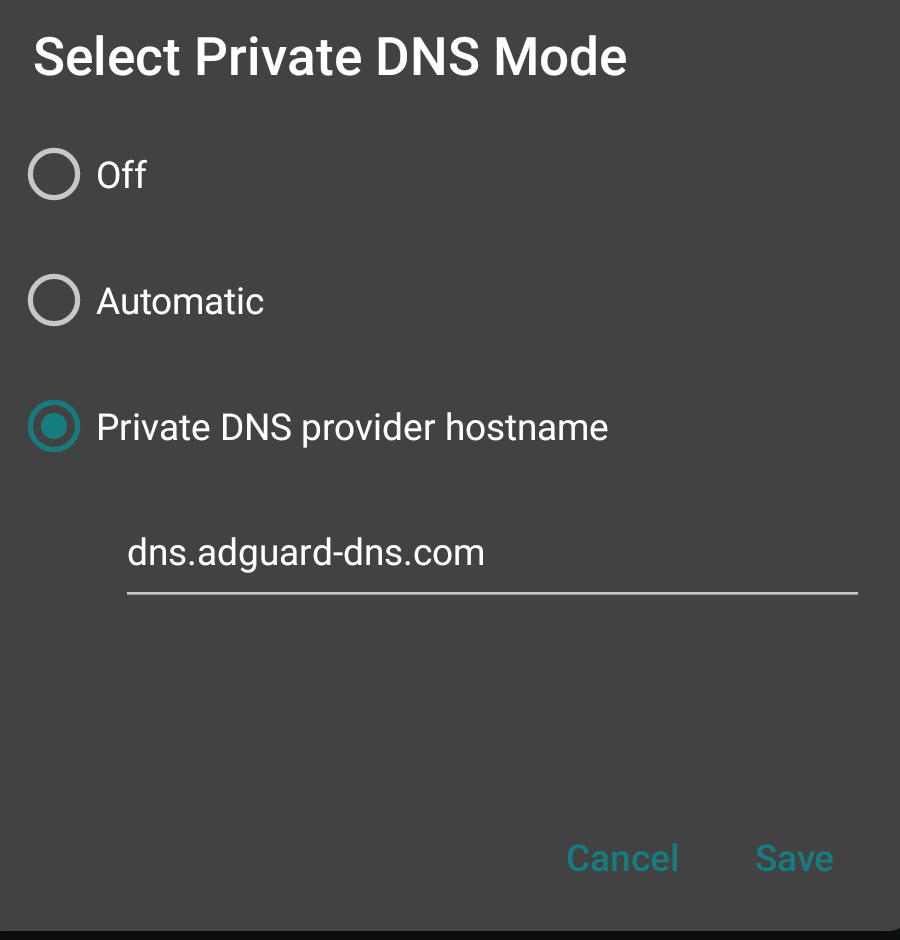
This changes DNS for the whole device. Filtering and playback availability vary by provider, and some VPNs or networks may affect Private DNS.